
SEO
How to Set a Solar Street Light with Remote Control
A practical configuration walkthrough for buyers and installers: what the remote actually controls on a solar street light, why the battery must be fully charged before you judge any setting, how to align working duration with battery and solar capacity, and the checks to run at dusk and on movement.
Configuration and operation
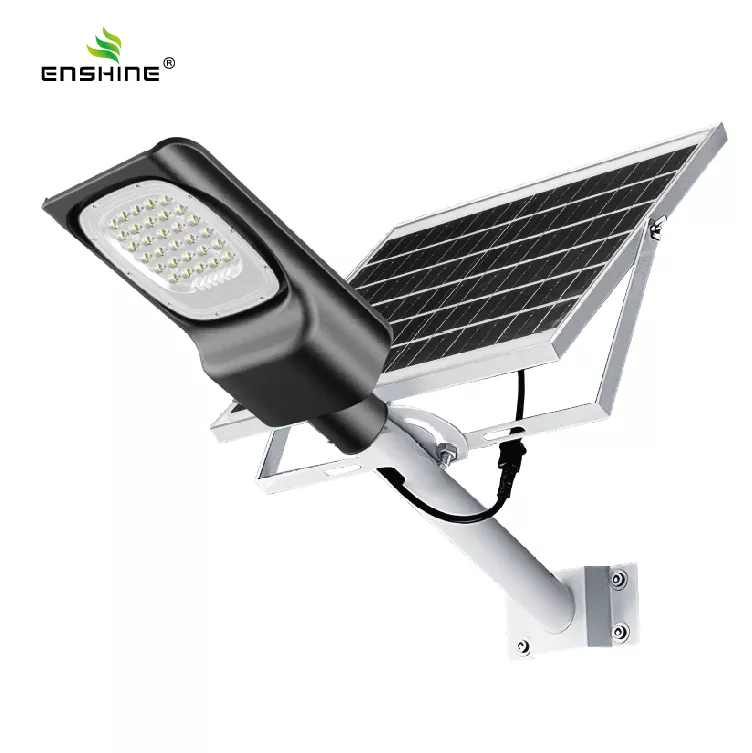
A solar street light remote is not a universal controller. On the models Enshine specifies, the remote is the input device for two things only: switching the fixture on or off and writing the settings the driver already supports. That means a remote can change the working duration, the lighting mode or power level, and the manual or automatic operating state, but it cannot add a function the model was not built with. A split model with light control, remote control and time control will accept a time setting; an all-in-one model that runs on time control and radar sensing has no remote channel for you to open.
There is a second, less obvious limit. The remote talks to a driver that is powered by the battery, so a factory-fresh fixture with a partly charged pack may accept nothing at all, or accept a setting and then behave unpredictably at dusk. Charge the battery fully before you judge whether a setting worked. Any test done on a half-charged unit tells you about the battery, not about the remote.
Key takeaways
- Confirm which control functions the specific model supports before you press anything.
- Full charge first — a low battery mimics a failed setting.
- Time control sets duration; it does not create extra battery capacity.
- Verify at dusk, and again on movement where a sensor is fitted.
- Ask the supplier for the function list, delivered scope and the manual for your exact remote version.
On this page
- What the remote can and cannot set
- Confirm the supported functions for your model
- Charge fully, then confirm the fixture responds
- Set the working duration to match the site
- Match the lighting mode to battery and panel capacity
- Verify at dusk and on movement
- Troubleshooting: real checks, in order
- What to confirm with the supplier
- FAQ
What the remote can and cannot set
The remote writes parameters; the driver decides what those parameters are. Light control is automatic and needs no remote input — the fixture switches itself on and off by ambient light. Time control defines how long the fixture runs once it has switched on. The remote is the tool you use to enter that duration, to change between available lighting modes or power levels, and to place the unit in manual operation while you are working on it.
What the remote cannot do is equally important. It cannot turn a 200W fixture into a 400W fixture, it cannot exceed the battery capacity, and it cannot read out diagnostic codes on a product that has no diagnostic output. The product pages list which control functions each model supports; they do not publish key-by-key sequences, indicator code lists or hidden menu trees, because those differ between model versions and remote revisions. Work from the manual that ships with your fixture, and treat any sequence you find online as unverified until the supplier confirms it for your version.
Confirm the supported functions for your model
The supported function list is the first thing to establish, because it determines what you will be setting. The two split models on this site share the same three-function pattern, but other models in the range do not.
| Model | Control pattern | What you set with the remote |
|---|---|---|
| YX-SS-01 Solar Streetlight with Multi Sensor | Light control + remote control + time control | Working duration, lighting mode or power level, manual on/off state |
| YX-SS-02 Solar LED Street Light | Light control + remote control + time control | Working duration, lighting mode or power level, manual on/off state |
| YX-SL-04-SS All-in-One Solar Street Light | Time control + radar sensing | No remote channel — the unit works at full power on approach and drops to power saving mode otherwise |
If you are comparing the split and integrated formats before ordering, the all-in-one vs split comparison covers where each one fits. Once the fixture is on site, the question changes from which format to which function, and the answer is on the data sheet you ordered from.
Charge fully, then confirm the fixture responds
Put the fixture in direct sunlight with the panel connected and let the battery reach full charge before any remote work. A partly charged pack can leave the driver in a state where it ignores remote input, or accepts it and then drops the setting at dusk. Full charge removes that variable.
Then confirm the fixture is awake and responding: check that the light can be switched manually with the remote, and that the panel is actually delivering charge to the battery. If the remote produces no response at all on a fully charged unit, stop and check the battery connection and the remote's own power source before assuming a driver fault.
The Solar Streetlight with Multi Sensor supports this preparation on flat ground or on a test arm, which is easier than discovering a problem after the fixture is at height. It can also be wall mounted, so a temporary wall position works for commissioning.
Set the working duration to match the site
Time control is where most projects go wrong, because the setting is written in hours while the road requirement is written in behaviour. Decide what the site needs first — full output until a fixed time, reduced output through the night, or a shorter window on a lightly used path — then read the available duration options from the manual and set the closest match.
Both split models list 12H working time, and YX-SS-02 specifies 12 hours after a full charge. Treat that as the ceiling for the standard configuration rather than a target you can extend freely. If a site genuinely needs longer coverage, the fix is a different configuration or a different model, not a longer number typed into the remote.
Worked example
Suppose a site needs light from dusk to dawn, roughly 11 hours, on a path with occasional pedestrian traffic. A YX-SS-01 or YX-SS-02 set to full output for the whole period will consume close to the full 12H working time, leaving very little margin for a run of cloudy days. Setting a lower power level for the later hours, where the remote supports it, brings the demand back inside what the battery and panel can replace each day. The same site on the YX-SL-04-SS all-in-one would instead rely on radar sensing: full power when someone approaches, power saving mode the rest of the time.
Match the lighting mode to battery and panel capacity
Working hours are limited by what the panel puts back into the battery each day and what the battery can hold. The relevant specifications are in the table below.
| Specification | YX-SS-01 | YX-SS-02 |
|---|---|---|
| Power options | 200W, 300W | 200W, 400W |
| Solar panel | Monocrystalline 5V 18W (200W), 28W (300W); conversion efficiency above 21.3% | Monocrystalline 5V 24W (200W), 45W (400W) |
| Battery | LiFePO4 3.2V 15000mAh (200W), 25000mAh (300W); 95% discharge depth; 6-8 year service lifespan | LiFePO4 32650 3.2V 20000mAh (200W), 30000mAh (400W) |
| Working time | 12H (optional) | 12 hours after fully charged |
| Beam angle | 70 by 140 degrees | 70 by 140 degrees |
| CCT | 6000-6500K | 6000-6500K |
| Rating and lifespan | IP65, 30000H | IP65, 30000H |
| Warranty | 3 years | 3 years |
Read the two columns together: a higher wattage option comes with a larger panel and a larger battery, so the 12-hour figure is not automatically transferable between them. When you select a power level on the remote, you are deciding how much of the stored energy is spent per hour. A setting that looks reasonable on the first night may not survive a week of overcast weather if the daily consumption is close to the daily recharge.
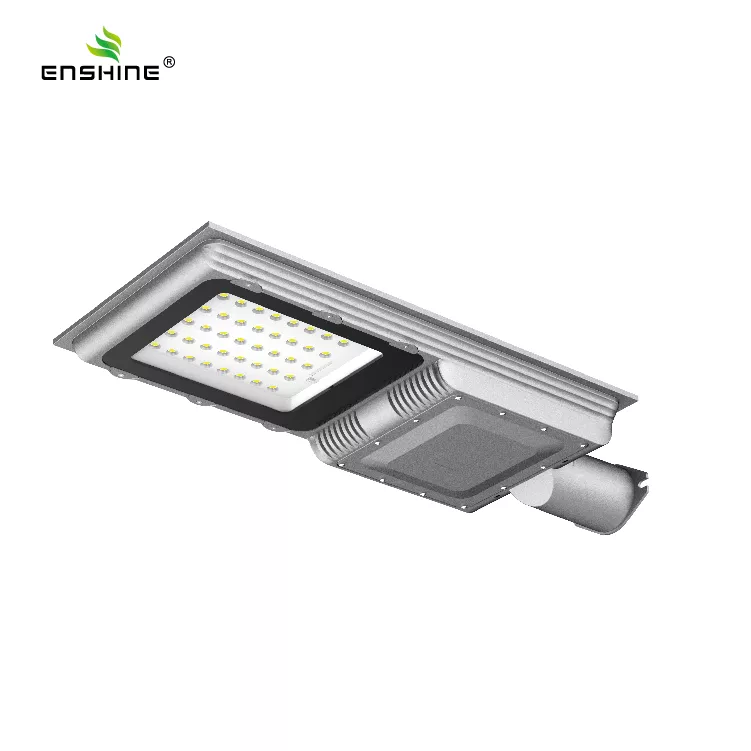
The Solar LED Street Light uses die-casting aluminium housing with a high-transmittance lens and high lumen LED chips, while YX-SS-01 adds an optical PC lens with luminous efficiency up to 95% and a die-casting aluminium and PC housing. Those are the physical layers behind the number you enter.
Verify at dusk and on movement
Commissioning is not finished when the remote accepts the setting. Wait for dusk and confirm two separate behaviours.
- Light control: the fixture should switch itself on as ambient light falls, without any remote input. If it stays dark while a neighbouring fixture lights up, the threshold or the panel position is the first thing to check.
- Movement response, where a sensor is fitted: walk through the coverage area and watch whether the fixture changes state. On the YX-SL-04-SS, the microwave radar induction system should bring the fixture to full power on approach and return it to power saving mode afterwards. On YX-SS-01, the multi-sensor hardware responds in the same way in principle, with the specific behaviour defined by the delivered configuration.
- Duration: return during the night and again before dawn to confirm the fixture is still running at the point you expected it to be, so you catch an over-long duration setting before it flattens the battery.
Troubleshooting: real checks, in order
Most setting complaints turn out to be one of five physical conditions. Work through them in order rather than cycling remote commands.
- Battery not fully charged. The most common cause of an apparently dead remote. Confirm the panel has had clear sun exposure and the charge path is connected, then retest.
- Working duration set longer than the battery supports. If the fixture dims or cuts out a few hours before the expected time, the duration setting is asking for more than the pack can deliver at that power level. Reduce the duration or the power level.
- Sensor window obstructed or dirty. Dust, packaging film or an insect nest over the sensor window will hold the fixture in one state. Clean the window and retest the movement response.
- Fixture not reaching its light-control threshold. Strong light from a nearby source, or a panel position that keeps the sensor bright after sunset, can delay or prevent switch-on.
- Unfavourable sun exposure across cloudy days. Several overcast days in sequence reduce what the panel collects. Most Enshine models can operate for 2-5 consecutive rainy days after a full charge, with higher-capacity models supporting longer backup, so intermittent short working hours during a cloudy spell usually indicate a charging shortfall rather than a faulty setting. Solar street lights do work in cloudy or rainy weather; the battery carries the load, and the number of backup days depends on battery capacity and the lighting configuration.
What to confirm with the supplier
Three items belong in the order documentation, not in a guess made on site.
- The supported function list for the exact model. Confirm in writing whether the unit you are receiving has remote control at all, and which parameters the remote can write. This prevents a site team from spending an afternoon trying to pair a remote with a fixture that has no remote channel.
- Delivered scope and spare remote availability. Confirm whether the remote is part of the delivered package or an optional item, and whether spare units can be ordered. A remote lost on site is a commissioning problem if no replacement exists.
- The manual for the exact remote version. Ask for the document that matches the remote revision supplied, since button layouts and setting entry differ between versions. Sourcing the fixture and its remote directly from the led street light factory keeps the model, remote revision and manual aligned, which matters when a project is handed to a local installer who did not place the order.
Enshine Lighting is a professional LED lighting manufacturer providing OEM and ODM solutions for global B2B customers. For projects that mix formats, keep the control pattern per model next to the specification sheet so the commissioning team knows which fixtures take a remote and which are configured internally. If you have not yet fixed the model, the buyer's guide for outdoor lighting projects covers the selection side.
FAQ
Do the settings survive a power-down?
Settings written through the remote are stored by the driver and are intended to persist when the fixture is switched off or the battery runs down. That said, remote revisions differ, so verify the behaviour on one unit of your batch before commissioning the rest, and confirm the retention behaviour with the supplier for your version.
Will a third-party remote or a phone app work?
No app, Bluetooth or WiFi function is documented for these models, and compatibility of a third-party remote is not established. Use the remote supplied or recommended for your model version, and confirm availability of spares when you order.
What happens in cloudy or rainy weather?
The fixture keeps working. The battery stores energy collected during sunny periods and powers the light when sunlight is insufficient. The number of backup days depends on battery capacity and the lighting configuration; most Enshine models can operate for 2-5 consecutive rainy days after a full charge, and higher-capacity models may support a longer backup period.
Can I extend working hours beyond the standard figure by setting a longer duration?
You can enter a longer duration only if the driver offers it, but the physical limit is the battery capacity and the daily charge from the panel. A duration longer than the configuration supports shows up as dimming or early cut-off on consecutive days rather than as extra working hours.